
Product feedback survey
Product feedback surveys that shape the roadmap
Feature requests tell you what people ask for. Product surveys tell you what they need, what they would miss and which problems are worth solving first.
In short
A product feedback survey asks existing users how often they use a product, which features they rely on, how easy it is to use, how they would feel if they could no longer use it, and what they would change. The 'how disappointed would you be' question is a widely used signal of product-market fit.
Ask users, not prospects
Usage and satisfaction questions only make sense for people who use the product. Send product feedback surveys to active users — for example, people who used the product at least three times in the last two weeks — and keep prospects for concept tests.
The product-market fit question
'How would you feel if you could no longer use the product?' with the answers very disappointed, somewhat disappointed and not disappointed is a simple, repeatable read on how essential the product is. Track the 'very disappointed' share quarterly, and read what those users say about the main benefit — that language is your positioning.
Prioritising features without guessing
Asking 'Which features do you want?' produces a wish list. Asking how important each feature is and how satisfied users are with it today produces a gap analysis: the features that are important and poorly served come first.
For a sharper split between must-haves and delighters, use a Kano survey — a pair of questions per feature asking how users would feel if it were present and if it were absent.
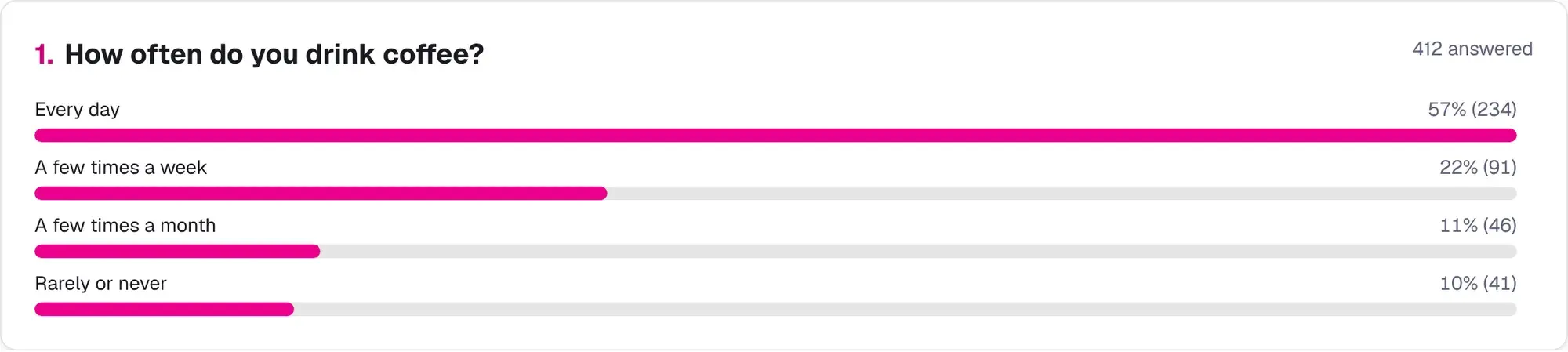
In-app surveys: three questions, the right moment
Surveys inside the product compete with the task the user came to do. Trigger them after a meaningful action or on exit, never on arrival, and keep them to three questions. Embed the survey with one script tag, or link to it from your help menu.
Example questions and why they work
| Question | Type | Why ask it |
|---|---|---|
| How often do you use the product? | Single choice | Lets you segment heavy and light users. |
| Which features do you use most? | Multiple choice | Shows what actually delivers value. |
| How easy is the product to use? | Rating 1–5 | Tracks usability over releases. |
| How would you feel if you could no longer use the product? | Single choice | The product-market fit signal. |
| If you could change one thing, what would it be? | Open text | Surfaces the highest-priority frustration. |
How to run a product feedback survey
About 20 minutes
Define the decision
Write down the roadmap decision the survey should inform.
Choose the audience
Select recently active users and pass their plan or segment as a hidden variable.
Start from a template
Use the product feedback, product-market fit or feature prioritisation template.
Collect in-app or by email
Embed after a key action or email active users with one reminder.
Segment the results
Compare heavy and light users and paying and free users with cross-tabs.
Share the themes
Group open answers into themes and share the top three with the product team.
How teams use it
Illustrative examples of how the templates are typically used, not customer case studies.
A note-taking app
- Goal
- Decide between offline mode and better search.
- Set-up
- The feature prioritisation template with importance and satisfaction grids, sent to weekly active users.
- What they learned
- Search was more important and less satisfying for heavy users, so it went first; offline mode moved to the next quarter.
An e-commerce platform's checkout team
- Goal
- Understand drop-off on the payment page.
- Set-up
- A three-question exit survey on the checkout page plus the cart abandonment template by email.
- What they learned
- Unexpected shipping cost was the top reason; showing it earlier in the flow was tested next.
Templates to start from
- Product feedbackFind out what people use, what frustrates them and what they would miss, so you can decide what to build next.7 questions · ~4 min
- Product-market fit surveyThe 'very disappointed' question plus who benefits most, the main benefit and what to improve, run quarterly.4 questions · ~2 min
- Feature prioritisationImportance and satisfaction for up to eight features, plus a forced ranking, to find the gaps worth closing.4 questions · ~4 min
- Kano model surveyFunctional and dysfunctional pairs for each feature to classify must-haves, performance features and delighters.7 questions · ~4 min
- Beta tester feedbackUsage, bugs, confusion, comparison with the old way and readiness to ship, from early-access users.7 questions · ~4 min
- Mobile app feedbackIn-app survey on ease of use, crashes, missing features and store rating intent, kept to five questions.5 questions · ~2 min
Frequently asked questions
How often should I run product feedback surveys?
A product-market fit pulse quarterly, feature prioritisation before each planning cycle, and in-app surveys continuously with a cap on how often one user sees them.
How do I get more responses to an in-app survey?
Trigger it after a meaningful action, keep it to three questions, and show it to each user at most once a month.
Can I segment results by plan or user type?
Yes. Pass values such as plan or account ID in the survey link as hidden variables, then filter and cross-tab by them.
What is the System Usability Scale?
A standard ten-statement questionnaire scored from 0 to 100 for comparing the usability of products or versions. A template is included.
Start free in under a minute
No credit card. Free plan includes 3 surveys and 100 responses a month.