
Free online survey maker
A free online survey maker built for phones
Start from a template, paste your questions or let AI draft them. Add logic, branding and translations, share a link, and watch results arrive — on the Free plan.
In short
SurveyHood is a free online survey maker: create an account, choose one of 175 templates or start blank, add questions from 13 types, preview on a phone and share by link, QR code, email or embed. The Free plan includes 3 surveys and 100 responses a month; paid plans add logic, exports and larger allowances.
Four ways to start
Most surveys are built from something that already exists. Pick the starting point that matches yours:
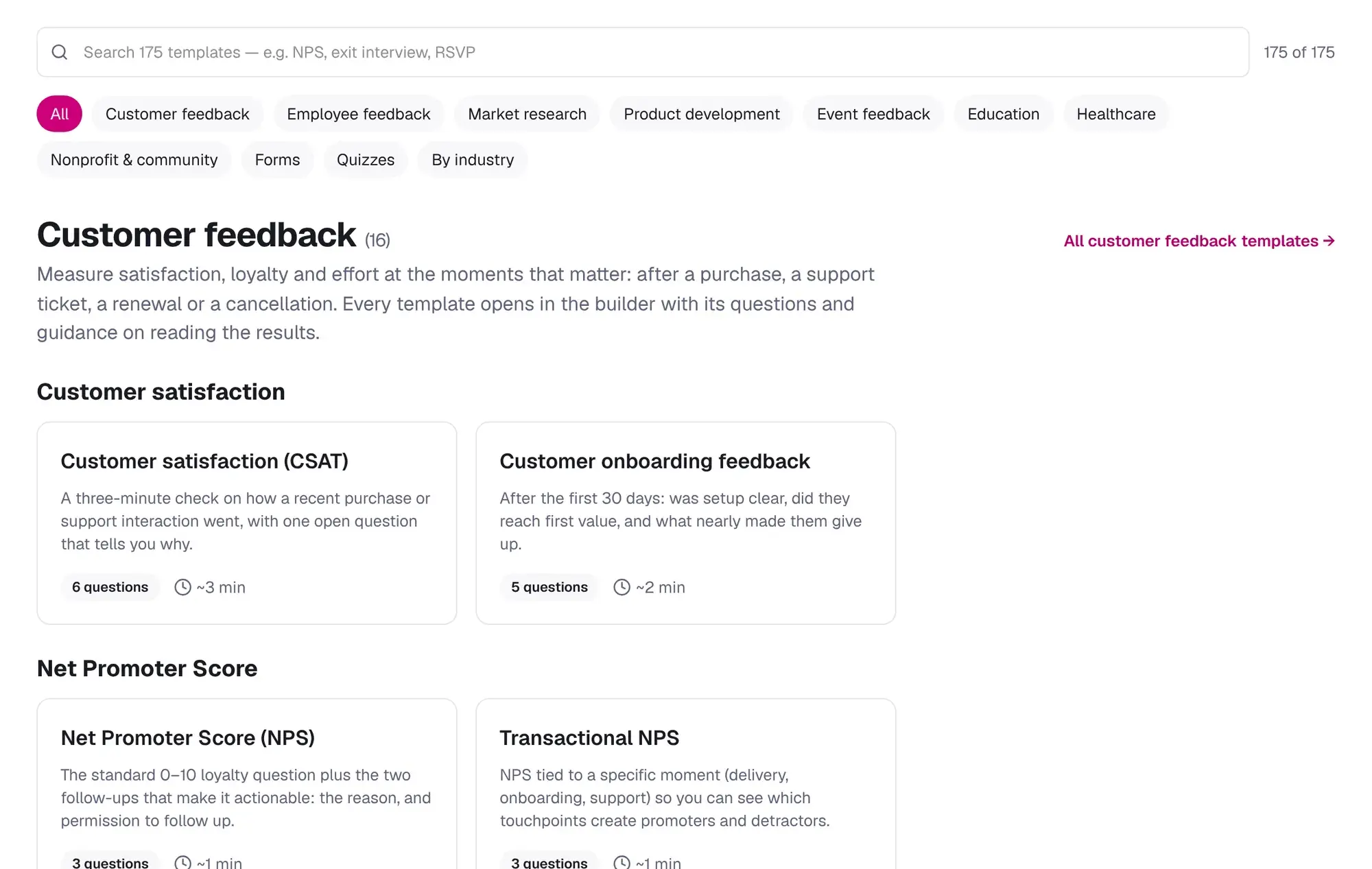
- From a template — 175 templates across customer, employee, market research, product, events, education, healthcare, nonprofit, forms and quizzes.
- From pasted text — paste a questionnaire from a document and it becomes an editable survey; bullet lines become answer options.
- From an AI draft — describe what you want to learn and review every drafted question before it goes live.
- From scratch or a copy of a survey you already made.
13 question types
Everything you need for surveys, forms and quizzes, each designed to be answered with a thumb:
| Type | Use it for |
|---|---|
| Single and multiple choice | Most questions; add 'Other' and exclusive 'None' options |
| Image choice | Packaging, logos and designs |
| Dropdown | Long lists such as states or departments |
| Rating and NPS | Satisfaction, agreement and loyalty |
| Slider | Numeric estimates and willingness to pay |
| Ranking | Priorities and trade-offs |
| Matrix | Several statements on one scale |
| Date | Appointments, start dates and events |
| Contact details | Name, email, phone, company and address with validation |
| Open text | The 'why' behind the numbers |
| Page break | One topic per screen on a phone |
Logic, piping and quizzes
Show or hide questions based on earlier answers, skip to a later page, or end the survey early for people who do not qualify. Pipe earlier answers into later questions, carry selected options forward, pass hidden variables in the link, and randomise questions, pages or options. Turn on quiz mode to score answers, set a pass mark and show a results page.
Designed for the phone in their hand
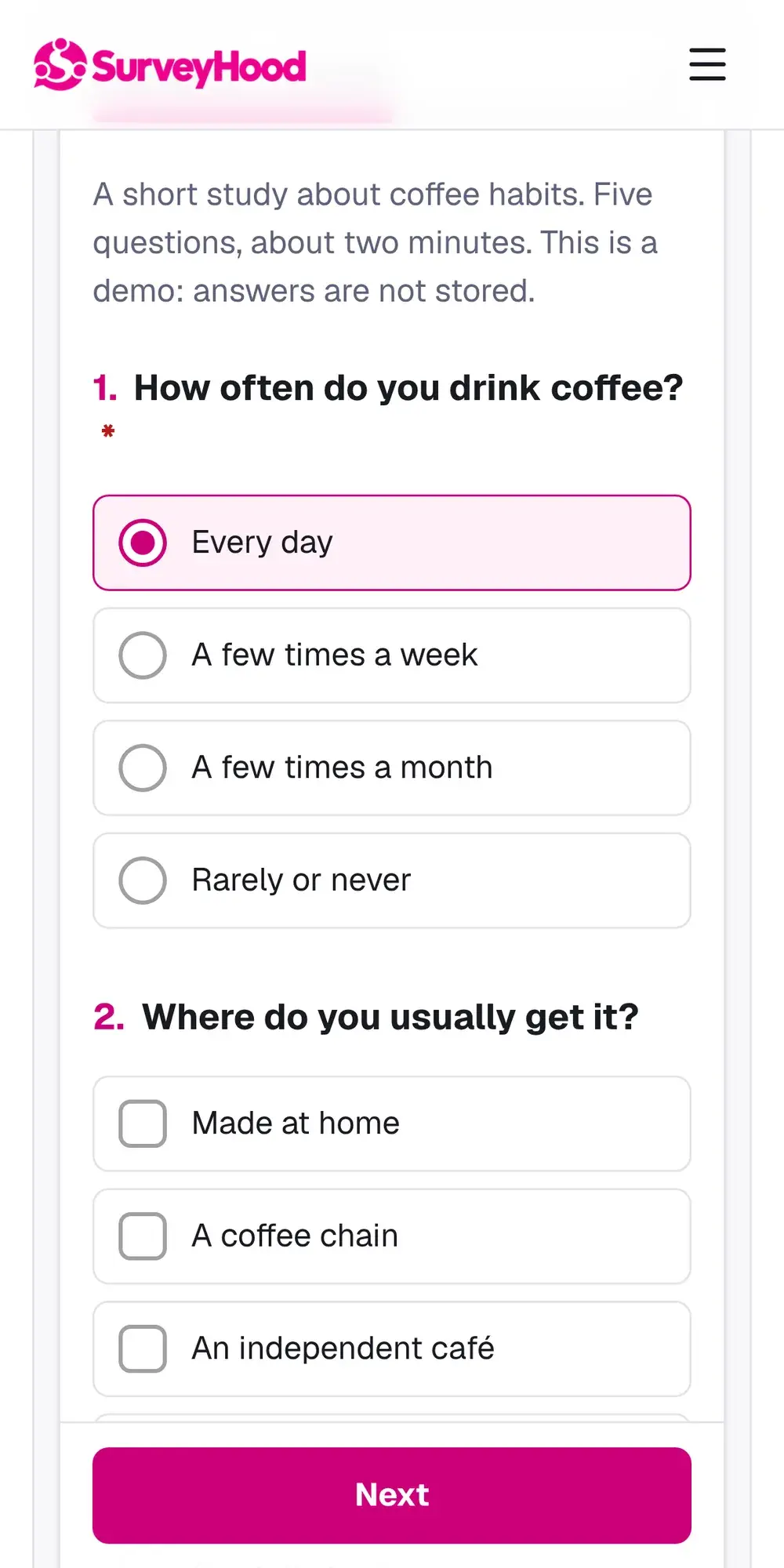
Most people answer surveys on a phone. Every SurveyHood survey uses a single column, large tap targets, progress at the top and autosave, so a respondent who is interrupted can pick up where they left off. The builder previews every question at phone, tablet and desktop widths before you publish.
Share it anywhere
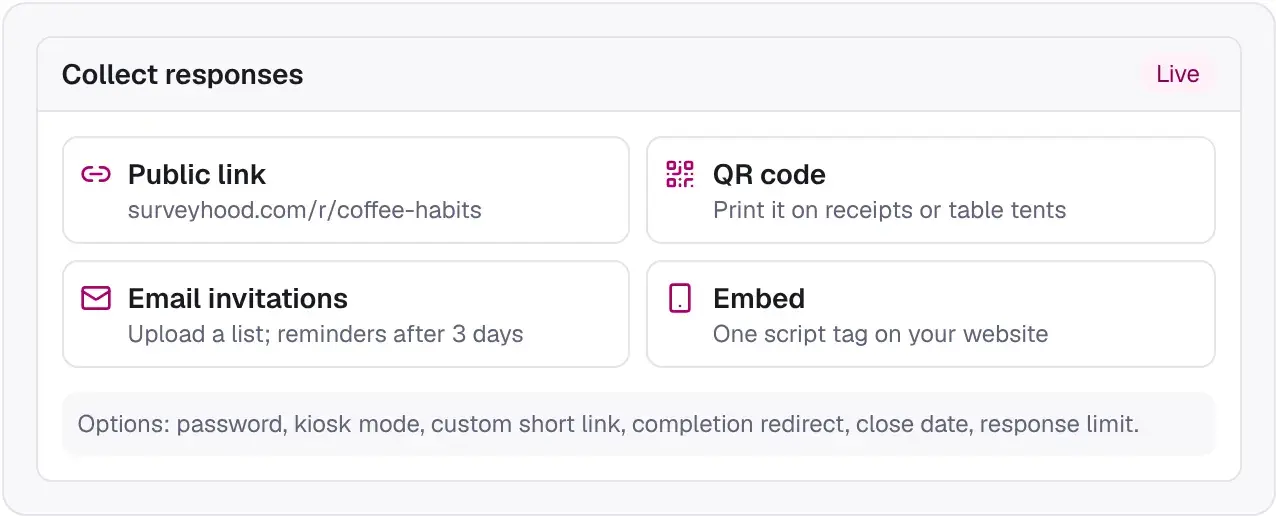
Public links with custom short URLs, QR codes, email invitations with reminders, website embeds and kiosk mode for tablets. Add a password, a close date, a response limit or a redirect to your own site when people finish.
Results as they arrive
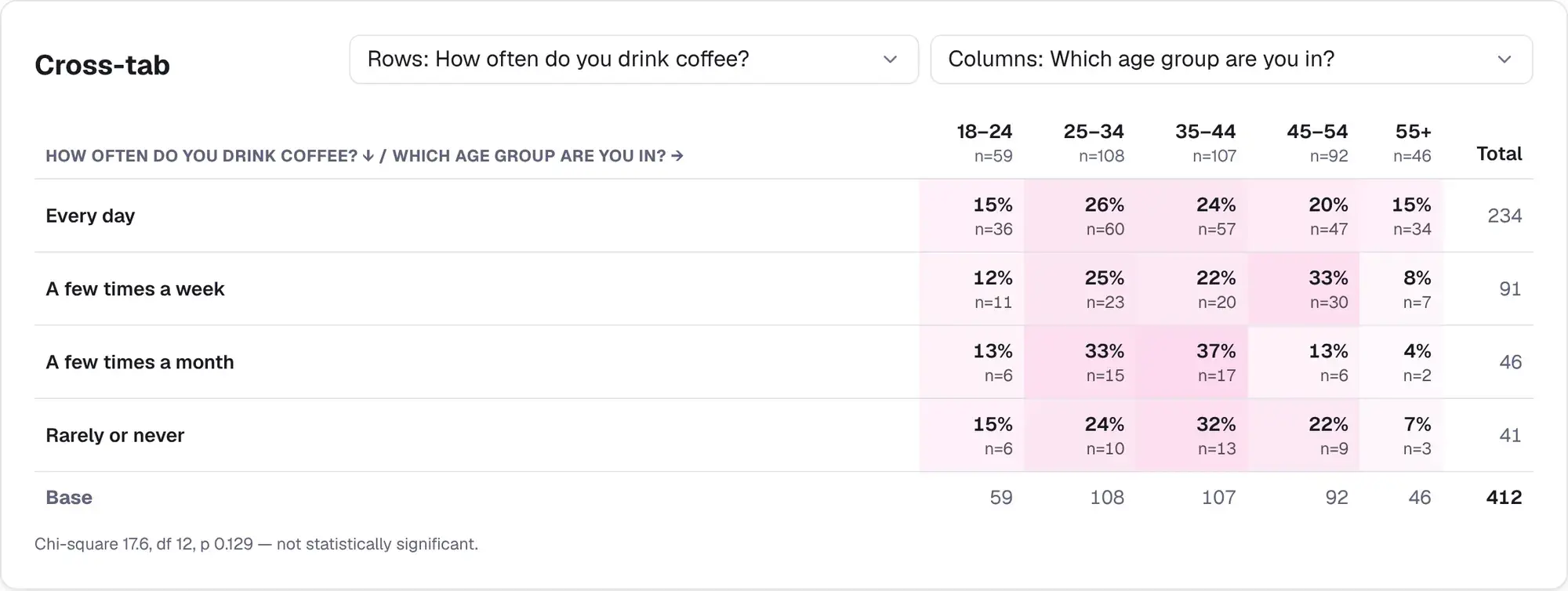
Charts update live. Filter by source, country or any answer, compare groups with cross-tabs and significance tests, read open-text themes, and export to CSV, Excel or PowerPoint. Share a read-only results link with your team or client.
How to create an online survey
About 10 minutes
Sign up free
Create an account with your email; no credit card is needed.
Choose a starting point
Pick a template, paste your questions, ask AI for a draft or start from scratch.
Edit your questions
Add, reorder and edit questions; add logic, branding and translations if you need them.
Preview on a phone
Check every page at phone width and answer it yourself once.
Publish and share
Publish, then share the link, QR code, email invitations or embed code.
Read the results
Watch charts update, filter and cross-tab, and export when you are done.
How teams use it
Illustrative examples of how the templates are typically used, not customer case studies.
A neighbourhood association
- Goal
- Decide on priorities for next year's budget.
- Set-up
- The community needs template shared by QR code on posters and by email, with a ranking question for priorities.
- What they learned
- Results by street area showed a clear split between road safety and park improvements, which went to the members' meeting as two options.
A training provider
- Goal
- Check learning after each course.
- Set-up
- The training knowledge check quiz with a 70% pass mark and feedback per question.
- What they learned
- Questions most people missed pointed to one unclear module, which was rewritten.
Templates to start from
- Customer satisfaction (CSAT)A three-minute check on how a recent purchase or support interaction went, with one open question that tells you why.6 questions · ~3 min
- Employee engagement pulseA short, anonymous monthly pulse on clarity, support, energy and intent to stay. Built to be repeated and compared.6 questions · ~2 min
- Event feedbackPost-event survey for workshops, webinars and in-person events: value, logistics and what to do next time.6 questions · ~2 min
- Event registration formContact details, ticket type, sessions, dietary and access needs and how they heard about you, with a response limit.6 questions · ~2 min
- Course evaluationEnd-of-term evaluation of content, workload, assessment, instructor and what students would tell next year's class.6 questions · ~4 min
- Training knowledge checkA ten-question scored check after any training course, with a pass mark, feedback per question and a results page.10 questions · ~5 min
Frequently asked questions
Is SurveyHood really free?
Yes. The Free plan includes 3 surveys and 100 responses a month with every question type and template. Paid plans add logic, AI assistance, exports, cross-tabs, branding and larger allowances.
Do I need to download anything?
No. SurveyHood runs in the browser for you and your respondents, on phones, tablets and computers.
Can I make a survey anonymous?
Yes. Anonymous mode stores no device or IP data with responses, and results for any group of fewer than five people are hidden.
Can I add my logo and colours?
Yes. Upload a logo and pick a brand colour once; every survey can use it. Branding is included on the Business plan and above.
Can respondents answer in other languages?
Yes. Add translations for every question and answer, and respondents can switch language while keeping one set of results.
What happens if I go over my monthly responses?
Nothing is lost. Responses keep arriving; those beyond your allowance (plus a 10% buffer) are stored and unlock when you upgrade.
Start free in under a minute
No credit card. Free plan includes 3 surveys and 100 responses a month.